

The MacBook Neo is the newest (in 2026) low-end MacBook produced by Apple that is designed for people looking to have a lightweight and portable MacBook for daily tasks including work, studying, surfing the internet or just for entertainment.
As well as any laptop, your MacBook Neo might have some troubles connected with various reasons such as drops, spills, charges, battery, display or software issues, etc.
When your MacBook cannot be charged, its screen is completely black, the laptop works slowly or the keyboard or trackpad doesn’t work properly, it is necessary to understand the true reason of this issue.
The MacBook Neo repairs in Dubai may be discussed at QuikFix and thus receive help with the diagnosis of the problem.
This article is going to explain all the common MacBook Neo problems, ways to fix the issue, repair solutions and their cost, among other useful information.
Understanding the Apple MacBook Neo
Discussion on repairing of MacBook Neo is preceded by an understanding of the specifications of the laptop.
The MacBook Neo was introduced by Apple Inc in 2026 with 13-inch Liquid Retina display screen and A18 Pro processor. It comes in several colors and storage options.
Specifications of MacBook Neo are as follows:
| Specification | MacBook Neo |
|---|---|
| Display | 13-inch Liquid Retina |
| Processor | Apple A18 Pro |
| CPU | 6-core CPU |
| GPU | 5-core GPU |
| Unified Memory | 8GB |
| Storage Options | 256GB / 512GB SSD |
| Battery | Built-in 36.5Wh lithium-ion |
| Charging | USB-C |
| Camera | 1080p FaceTime HD |
| Wireless | Wi-Fi 6E and Bluetooth 6 |
| Weight | Approximately 1.23kg |
Common MacBook Neo Problems That May Require Repair
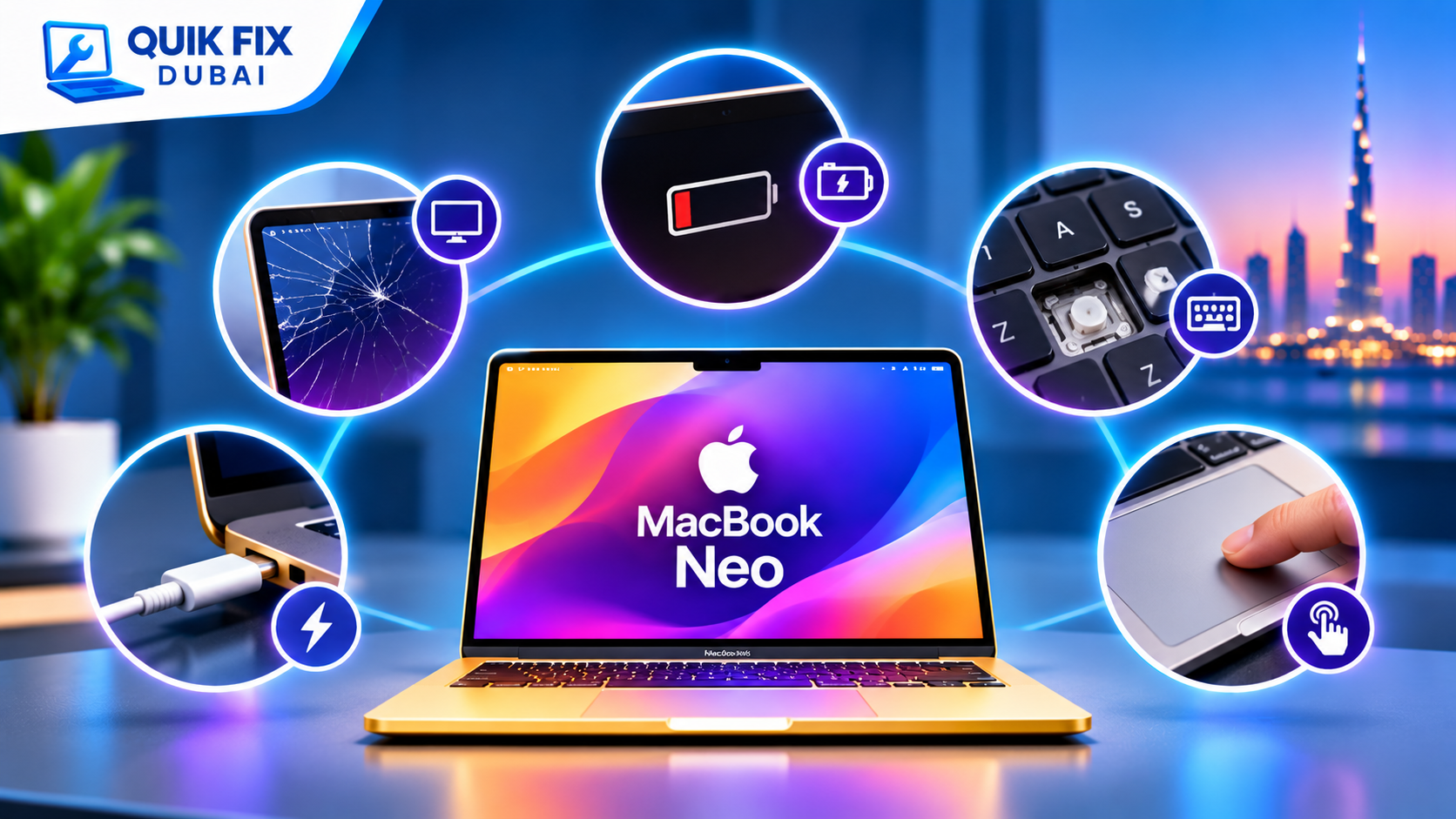
Notably, all MacBook troubles do not have their solutions in hardware repair services. There might be problems caused by various software configurations, applications, accessories, or even system failures.
These are the common problems you should check for.
1. MacBook Neo Screen Damages and Screen Problems
The MacBook Neo screen is one of the vital components of your device, and damages to it will affect how you can use your device.
The common screen problems are:
- Cracked or damaged screen.
- Black screen despite having the laptop turned on.
- Flickering or flashing screen.
- Lines on the screen.
- Strange coloration or brightness.
- No screen turns on upon opening the lid.
- Distorted images or malfunctioning screen.
- Causes of these problems?
A physical impact to the device, pressure exerted on the screen, water damage, malfunction of an internal screen component, and poor connections between the screen and the device.
What should you do?
- Connect the MacBook to the appropriate power source.
- Evaluate whether the laptop has any indication that it is turned on.
- Change the screen brightness.
- Disconnect all connected accessories.
- Shut down and restart your MacBook if possible.
- Evaluate whether the problem still remains.
If the screen is cracked, showing consistent lines, or black, it would be reasonable to consult the expert for evaluation.
When dealing with MacBook Neo screen repair in Dubai, it would be necessary to evaluate the screen and its connection in order to understand what has to be fixed.
2. MacBook Neo Battery Drainage
The quality of battery work can depend on the following factors: the brightness of the screen, applications run on the laptop, background activity, and the battery.
If battery drainage is too fast, one may consider evaluating the problem before battery replacement.
These indicators are related to the battery drain problem:
- Fast reduction of the battery percentage.
- Battery life below expectations.
- Unexpected shutdowns of MacBook Neo.
- Different issues with battery charging.
- Unusual battery temperature.
- The same percentage during battery charging.
- Causes of fast depletion of the battery include:
- Excessive consumption of the battery by the applications.
- Background activity.
- Screen high brightness.
- MacOS software issues.
- Battery degradation.
Troubleshooting:
- Go to System Settings.
- Go to the Battery tab.
- Check the battery usage information.
- Quit apps which you do not use.
- Restart the computer.
- Update macOS if needed.
If the battery performance remains bad, then the battery and the charging system have to be tested by a technician.
It is necessary to stop using the MacBook if the battery swelling occurs. It should not be charged anymore and should not be pressed. Professional battery service is required.
3. MacBook Neo Is Not Charging
The inability to charge your MacBook might be an obstacle that prevents using your MacBook when the battery level is low.
It could be an issue with your adapter, cable, USB-C port, battery, or charging circuitry.
Symptoms:
- Battery percent doesn’t increase.
- Charging icon is not visible.
- Only occasional charging of MacBook happens.
- Not secure connection of the USB-C.
- Not responsive MacBook to charging.
- Sudden stop of charging process.
Cheks to perform:
- Connect a compatible USB-C charger.
- Look for possible damages to your charging cable.
- Select a suitable power source.
- Check the USB-C port for dirt or other damages.
- Remove accessories from MacBook.
- Restart your MacBook and retry.
Your MacBook Neo is compatible with USB-C charging but other USB-C cables and chargers differ by their charging support capabilities.
Avoid inserting anything other than charging cord in the charging port in case of USB-C port damage or unsteady charging.
4. MacBook Neo Keyboard is not Working
If the keyboard fails, typing, shortcut keys, password entering, and even productivity get affected.
You will find out that particular keys are not functioning anymore, more than one character comes up with hitting the same key or entire keyboard stopped responding.
Causes for such problem include:
- Buildup of dirt/debris underneath keys.
- Spills of any liquid substance.
- Damaged keyboard.
- Issues with keyboard connection.
- Issues with macOS.
Troubleshooting steps can be:
- Rebooting your MacBook.
- Finding out whether only certain keys or the entire keyboard do not work.
- Disconnecting any other keyboard.
- Checking keyboard settings.
- Testing keyboard in an appropriate app.
In case of unresponsive keys, there is a need to check the entire keyboard and connections.
Liquid damage is considered one of the most significant problems that deserve your special attention. It is recommended not to press repeatedly on the affected keys and not to heat the keyboard.
5. MacBook Neo Trackpad Not Working
The trackpad allows you to manage the pointer, perform clicks, scroll, and use Multi-Touch gestures.
If your trackpad stops responding, the normal operation of your laptop will become problematic.
Here are the main problems that might occur:
- Pointer movement stopped.
- Clicking is malfunctioning.
- Lagging pointer movement.
- Multitouch gestures not responding.
- Intermittent trackpad responsiveness.
You should start with restarting your MacBook and then checking the trackpad settings.
You can try to disconnect all external devices and see whether the issue persists.
6. MacBook Neo Overheating or Running Too Slow
A MacBook that overheats or runs too slow has either software, workload, environmental or hardware issue.
Overheating, sudden shutdowns or slow performance when running certain programs is quite common. But persistent overheating, sudden shutdowns or slow performance should not be overlooked.
The possible reasons might include:
- Runnning too many applications simultaneously.
- A resource-intensive software.
- Background processes.
- Low space.
- macOS problems.
- Hardware issues.
What you can do:
- Shut down any unnecessary applications.
- Find applications that use lots of resources in Activity Monitor.
- See how much storage space you have.
- Make sure your software is up-to-date.
- Avoid any obstructions to the fan.
- Use your MacBook on hard surfaces.
7. MacBook Neo Liquid Damage
One of those problems for which immediate attention is required is liquid damage.
Liquid damage may include liquids such as coffee, juice, water, and others that may have come into contact with your computer, entering its keyboard, ports, and other inner components.
Some of the signs of liquid damage are:
- Sudden inability to function of the keys on the keyboard.
- Computer does not boot.
- Cannot be charged.
- Trackpad malfunction.
- Noise distortion or no noise at all.
- Sudden shutdowns.
- Display problems.
What should you do when liquid damage occurs?
- Disconnect the charger if possible and safe to do.
- Shut down the laptop if possible to safely do so.
- Disconnect all devices connected to your laptop.
- No plugging or restarting of your computer is allowed.
- Do not use a hairdryer on your laptop.
- Contact us for inspection as soon as possible.
Do not be mislead into believing that your MacBook is working fine if the device switches on itself after your accident because corrosion and damage may gradually develop inside.
8. Problems of USB-C Port on the MacBook Neo
There are two different types of USB-C ports installed in the MacBook Neo in terms of the data transfer capabilities. The ports allow charging but require different specifications for the data transfer processes.
Warning signs can include:
- Impossible to plug in the charger.
- Inability to recognize any additional accessories.
- Sporadic charging problems.
- Damaged or loose port.
- Cannot use the external monitor.
Use another compatible cable/peripheral device and check whether the issue is caused by the accessory plugged into the port.
9. MacBook Neo Will Not Power On
Probably nothing is more frustrating than the MacBook Neo not powering on, especially if you have urgent tasks to do with your computer.
Here are some reasons:
- Battery completely discharged.
- Power adapter or cord is broken.
- Issues with the charging port.
- Battery troubles.
- Boot errors.
- Hardware issues.
Troubleshooting tips:
- Plug the laptop into an appropriate power source.
- Give it some time to charge up.
- Check the power source.
- Remove all the connected accessories.
- Try to boot the MacBook.
See if there is any response on the screen or anything else happening.
Do not keep trying different ways to reset your MacBook if it doesn’t turn on. Sometimes it helps to find out what is causing the problem: a power issue, battery, software or logic board.
MacBook Neo Repair in Dubai
The correct repair depends on the affected component and the condition of the device.
Here are some repair areas that may be relevant to MacBook Neo owners.
| Repair Type | Problems Assessed |
|---|---|
| MacBook Neo Screen Repair | Cracked display, black screen, flickering |
| Battery Service | Fast battery drain, battery faults |
| Charging Port Repair | USB-C connection and charging issues |
| Keyboard Repair | Unresponsive or damaged keys |
| Trackpad Repair | Cursor, clicking, and gesture problems |
| Liquid Damage Repair | Spill-related internal component problems |
| Speaker and Audio Repair | Distorted sound or no audio |
| Logic Board Repair | Power, startup, and other board-level faults |
| Software Troubleshooting | macOS errors, startup, and performance issues |
Repair manual of Apple MacBook Neo also describes the ways of repairing the screen, battery, keyboard, touchpad, USB-C boards, speakers, audio board, and logic board.
Whether or not a certain kind of repair can be performed depends on the problem, the status of the components, and parts compatibility.
How Much Does MacBook Neo Repair in Dubai Cost ?
Among the most frequent questions asked by MacBook users is how much it will cost.
There isn’t any price that covers all the MacBook Neo repairs since the price depends on the broken part, the complexity of the problem, and the repair method.
These are the major things affecting the final quote.
1. Nature of the Damage
A problem in software might warrant the need for troubleshooting instead of replacing any hardware component.
A broken screen, a faulty USB-C port, or a motherboard damaged by water might require further diagnosis.
2. Cost of Replacement Part
The cost of repair is dependent on the required part, its availability, and whether there is a good genuine, used, or even a third party part available.
Discussion on parts and their compatibilities will be necessary prior to proceeding with any repair work.
3. Extent of Internal Damage
Damage caused by a liquid spill can impact many internal components rather than just the keyboard.
Just like the MacBook failing to switch on, this might be because of battery, charging, or motherboard damage.
The exact nature of the fault has to be determined for an accurate quote.
4. Repair Needs
The repairs might need simple part replacement or might need extra diagnostic processes, disassembly, troubleshooting, or further motherboard diagnosis.
It may affect the overall cost of service.
Prior to Approving a Repair
Request:
- Confirmation of the problem.
- Proposed means to fix it.
- Parts that will be used.
- Total cost estimate.
- Applicable warranty policy.
- Possibility of any data loss.
For a true estimate of the MacBook Neo repair price in Dubai, make sure you get a quote after an assessment of your machine.
Should You Repair or Replace Your MacBook Neo?
Replacement isn’t always necessary for a broken MacBook. If it is possible to fix only the particular part, it can be worth trying to repair the device.
Here are some facts you should consider:
It can be appropriate to repair the device if:
- There are no other issues except the display.
- The battery needs to be fixed.
- The USB-C port is malfunctioning.
- There is an issue with the keyboard or trackpad.
The repair will not be very expensive in comparison with the purchase of another device.
It can be better to replace the device if:
- More than one main component is broken.
- There is much damage done to the logic board.
- Repairing the device will cost nearly as much as purchasing another MacBook.
- There are multiple issues with the device which cannot be easily fixed.
Is the MacBook Neo Repairable?
Yes, there exists a MacBook Neo repair guide provided by the company that features troubleshooting, parts and repair procedures for certain components.
That said, the MacBook Neo is built to have several serviceable components, which include the battery, the display, the trackpad, the speakers, the keyboard, and the USB-C board.
It is, however, important to note that the fact that the computer has serviceable parts does not imply that all problems on it are solvable or upgradable in the same way.
For instance, the memory is specified as 8GB unified memory, implying that it cannot be upgraded at a later date. Also, the user should check the type of storage that the computer has since it is not standard user-upgradable SSD.
Why Choose Quik Fix Dubai for MacBook Repair?
Problems in your MacBook might hinder your work and studies among other day-to-day chores. Selecting an expert in repairing will enable you to understand the problem and how to deal with it.
Quik Fix Dubai offers you opportunities to assess MacBook repair services in case of:
- Screen damage
- Battery damage
- Keyboard and touch pad problems
- Charging problems
- Damage caused by liquids
- Problems with logic board
- Data recovery
Quik Fix Dubai offers you easy MacBook repair process:
- Diagnosis: Let the problem be diagnosed.
- Quotation: Examine the quotation.
- Approval: Ensure you approve the quotation before anything else.
- Repair: Make the repair as advised.
- Testing: Testing is done prior to collection/delivery.
Contact us at Quik Fix Dubai for information on MacBook Neo parts.
Conclusion
The MacBook Neo gives you an opportunity to experience the full range of Apple laptops affordably, although there will be need for proper maintenance and repair services whenever you encounter any problem.
Whether it is due to screen damage, battery problem, malfunctioning charger or liquid damage, learning about the different repair services could save you from making extra costs.
In case your MacBook Neo is not functioning as required, please reach out to Quik Fix Dubai for a quote.
You can contact Quik Fix Dubai to ask about diagnosis, repair options and parts availability for your MacBook Neo.
Disconnect the charger, shut down the laptop if safe, and avoid turning it back on. Arrange a professional inspection as soon as possible to reduce the risk of further damage.
It depends on the problem and repair quotation. A screen, keyboard or charging fault may be worth repairing, while extensive internal damage needs a careful cost comparison.
The price depends on the display assembly, parts availability and damage. Quik Fix Dubai’s general MacBook screen-repair estimate is AED 650–1,850, but this is not a confirmed Neo-specific quotation.
Yes. MacBook Neo repairs may include display, battery, keyboard, trackpad, charging and liquid-damage services. Part availability and the exact repair options should be confirmed before booking.
Leave A Comment