
MacBooks are intended to provide good performance for day-to-day usage, business activities, and creative projects. Nevertheless, even a good battery for a computer tends to become less effective in holding its charge. Thus, you can experience such difficulties as shorter battery life and unexpected shutdowns.
If you are facing these problems, then the questions that you will most probably have on your mind is whether your MacBook requires a new battery or just an easy fix.
It is essential for MacBook users based in Dubai to learn about the various symptoms of a faulty battery since they will be able to avoid any disruptions while making decisions on whether to seek professional repair services.
In this blog, seven signs that may need the users to get their battery replaced, how to assess battery condition, factors influencing the cost of the process, and repair options.
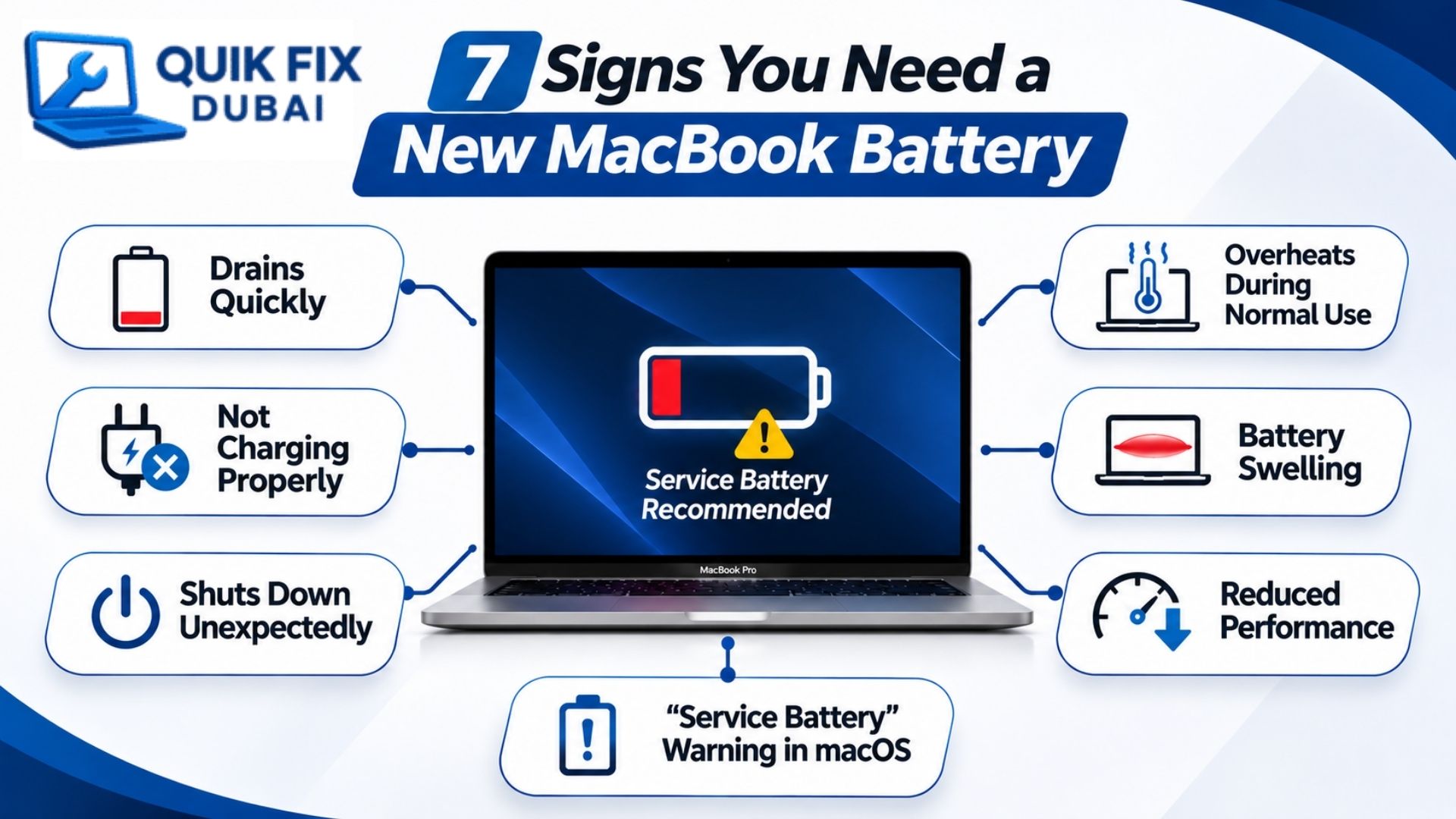
7 Signs You Need a MacBook Battery Replacement
Your MacBook battery can impact your device’s performance and charging and therefore recognizing such signs can help you identify when your MacBook requires a new battery in Dubai.
1. Your MacBook Battery Runs Out of Power Quick
If your MacBook battery drains faster than usual, your battery may have lost some of its capacity and you should test battery health to confirm if replacement is needed.
2. MacBook Battery Cannot Charge Correctly
If your MacBook cannot charge fully and quickly, there may be a problem with the battery, charger, or charging port and should therefore be diagnosed professionally.
3. MacBook Keeps Shuting Down
Unexplained shudown of your computer despite having some battery charge left may mean that your battery needs replacement.
4. MacBooks Display “Service Battery” Warning
“Service Recommended” message displayed by macOS indicates that your MacBook battery needs to be checked.
5. Overheating in MacBook during Routine Usage
Unusual heat during routine usage might be an indication of an internal battery or cooling system problem. Overheating must be checked by experts.
6. Swollen MacBook Battery
A swollen battery could lead to bulging of trackpad or MacBook body. The MacBook must be stopped from use as well as charging.
7. Poor Performance due to Issues with Battery in MacBooks
Sometimes, problems with the battery could impact the performance of the MacBook. If MacBook shuts down unexpectedly or works slowly, check the condition of its battery.
Battery Health Checking Guide for MacBook
Before you plan to replace your MacBook battery in Dubai, it is helpful to first check the health of your battery.
MacBook offers several features through which you can check battery health and battery charging status.
Check battery health via System Settings
In case of updated versions of macOS:
- Open the Apple menu at the top left corner of your screen.
- Choose System Settings from the drop-down menu.
- Then click on Battery.
- Here you can see Battery Health.
Monitor your cycle count
Battery cycle can be defined as the discharge of energy equal to the full battery capacity (100%). In no way is it necessary for the user to charge their device completely from 0 to 100%.
For instance, using 50% of the battery one day and another 50% the following day will be counted as one cycle.
To monitor your cycle count on compatible MacBooks:
- Press the Option button and click on the Apple menu.
- Navigate to System Information.
- Select Power under the Hardware section.
- Find out the Cycle Count on the battery info tab.
- Apple has a recommended number of cycles for various MacBook models. Most of the recent MacBook models are capable of reaching up to 1,000 cycles, but it all depends on the particular device model.
The cycle count itself is not a guarantee for battery replacement. The battery’s state of health, its performance and recommendations for servicing must also be taken into consideration.
MacBook Battery Replacement vs Repair: Which Is Better?
| Problems | Possible solution |
|---|---|
| Battery drains quickly | Battery health assessment and possible replacement |
| MacBook does not charge | Check charger, cable, port and battery |
| Battery service warning | Professional battery assessment |
| Unexpected shutdowns | Diagnose battery and other hardware |
| Swollen Battery | Stop sing device and arrange professional service |
| Overheating | Diagnose battery, cooling system |
If the battery has reached the end of its useful life, replacement may be the appropriate solution.
When the problem is related to the defective charging port, adapter, or software issues, it will not help to replace the battery.
MacBook repair professionals can determine the exact problem before making suggestions for repair.
How Much Does MacBook Battery Replacement Cost in Dubai?
The price of MacBook battery replacement in Dubai varies according to several factors, including the model of the MacBook, the type of battery, availability of spare parts, and the complexity of the process.
First, there might be differences in the price due to the fact that there can be MacBook Air or a MacBook Pro laptop.
Second, there may be differences among the generations of these laptops as well.
In addition, the final price depends on whether there is some additional damage found during the diagnostics.
Before making any decision and booking an appointment, it would be wise to ask for a quote of the price of the battery replacement.
For the exact quote of the price of MacBook battery replacement in Dubai, contact QuikFix Dubai by letting them know your MacBook model and the problems that you are facing.
By telling the model of your MacBook, the technicians will have knowledge of the battery type used in your computer.
How Long Does MacBook Battery Replacement Take?
MacBook battery replacement time depend on the type of device, state of the device, and availability of the battery needed for the replacement.
Some repair can take just one day, but others might need more time when further diagnosis or spare parts are required.
The repair process usually includes:
- Evaluation of the MacBook, and verification that the issue is indeed with the battery.
- Determining the battery model, and what needs to be done.
- Removal of the battery using the proper repair method.
- Replacement of the battery.
- Test for charging capabilities, battery identification, and machine functionality.
- For work purposes, you should determine the time it would take for the repair.
Why You Should Choose QuikFix Dubai for MacBook Battery Replacement ?
When you have issues with MacBook batteries, then you need a reliable repair service. A correct diagnosis should help identify if the battery needs to be replaced, or it’s another part that creates problems.
We at QuikFix Dubai provide the repair of MacBooks, which have problems with their batteries and other hardware parts.
Here are some things that should be considered when replacing MacBook battery:
- Diagnosis: Check whether it’s really the battery creating problems.
- Specific repair: Make sure the new battery is compatible with your MacBook.
- Price: Get a quote for the repair beforehand.
- Guarantee for repairs: Get to know about the guarantee of the replacement battery and the repair itself.
- Convenience of the service: Ask about the availability of the service for your location in Dubai.
If your MacBook battery drains quickly, shows a service message or shuts down unexpectedly, then we can help you to resolve your issue.
FAQ
Frequent battery drainage, charging issues, unplanned shutdowns, overheating, and a Service Recommended alert under macOS are some of the symptoms.
QuikFix Dubai offers MacBook repair services in Dubai. Contact the team to discuss your MacBook model, battery problems, and available replacement options.
Yes, as long as your computer is functioning correctly and fulfills your needs. Your battery might increase the longevity of your computer.
The cost of MacBook battery replacement in Dubai depends on the model, battery type, and parts required. Contact QuikFix Dubai for a quotation based on your MacBook model.
Leave A Comment